Welcome to the Vinicius Command training manual. This guide provides a visual and technical walkthrough of the core operational workflows required to manage high-fidelity infrastructure projects across our international portfolio.
01
Unified Authentication Protocol
GOAL: SECURE HUB ACCESS
Navigate to the high-contrast **Authentication Terminal**.
Enter your corporate credentials (Email and Access Key).
Click **AUTHENTICATE** to initialize your secure session.
*Note: Multi-factor authentication is active on all nodes.*
02
Personnel Enrollment & Registry
GOAL: STAFF DIRECTORY CONTROL
Access the **Admin: Personnel Registry** module.
Review active staff for role allocations.
Use **ENROLL STAFF** for new acquisitions.
Assign **Operational Roles** carefully.
03
Project Initialization & Ingest
GOAL: ANCHOR NEW ASSETS
From **Projects**, click **INIT PROJECT**.
Provide high-density documentation (PDF/BIM).
Select a **Lead Facilitator** (Project Manager).
Assign initial work packages via the task modal.
04
Site Modeling & Phase Creation
GOAL: DEFINE STRUCTURAL TIMELINE
Open **Site Manager** for your project.
Click **NEW PHASE** for structural milestones.
Set the **Operational Window** dates.
Phases auto-populate the Schedule and Kanban.
05
Field Telemetry & Daily Logs
GOAL: CAPTURE REAL-TIME SITE DATA
Select an active **Work Package** from your dashboard.
Click **SUBMIT DAILY LOG** to open the telemetry interface.
Attach high-fidelity site imagery and record material usage.
Sync the log to propagate progress to the **Analytics HUD**.
06
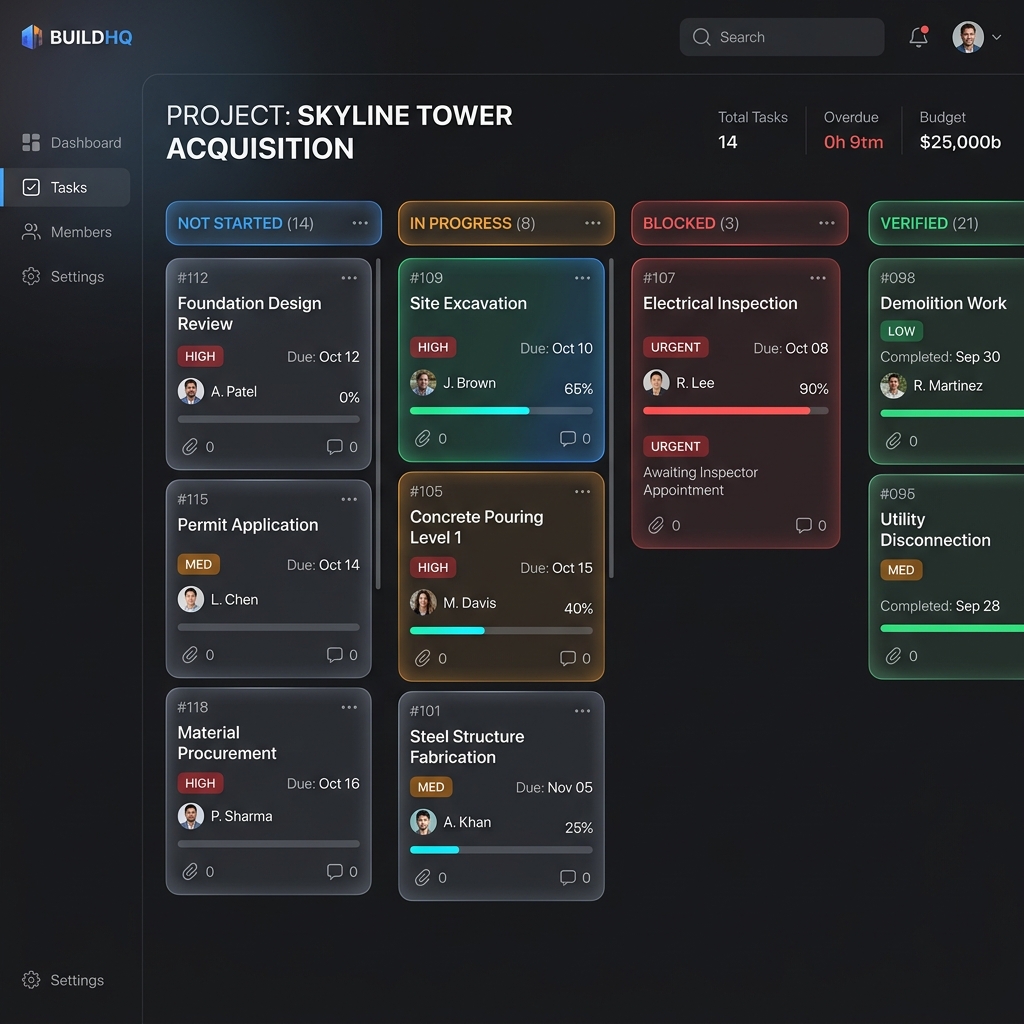
Workboard Orchestration
GOAL: REAL-TIME TELEMETRY MONITORING
Navigate to the **Global Work Board**.
Tasks categorized by: Not Started, In Progress, Verified.
Drag cards to update telemetry from the field.
Priority tasks pulse in UI for quick intervention.
07
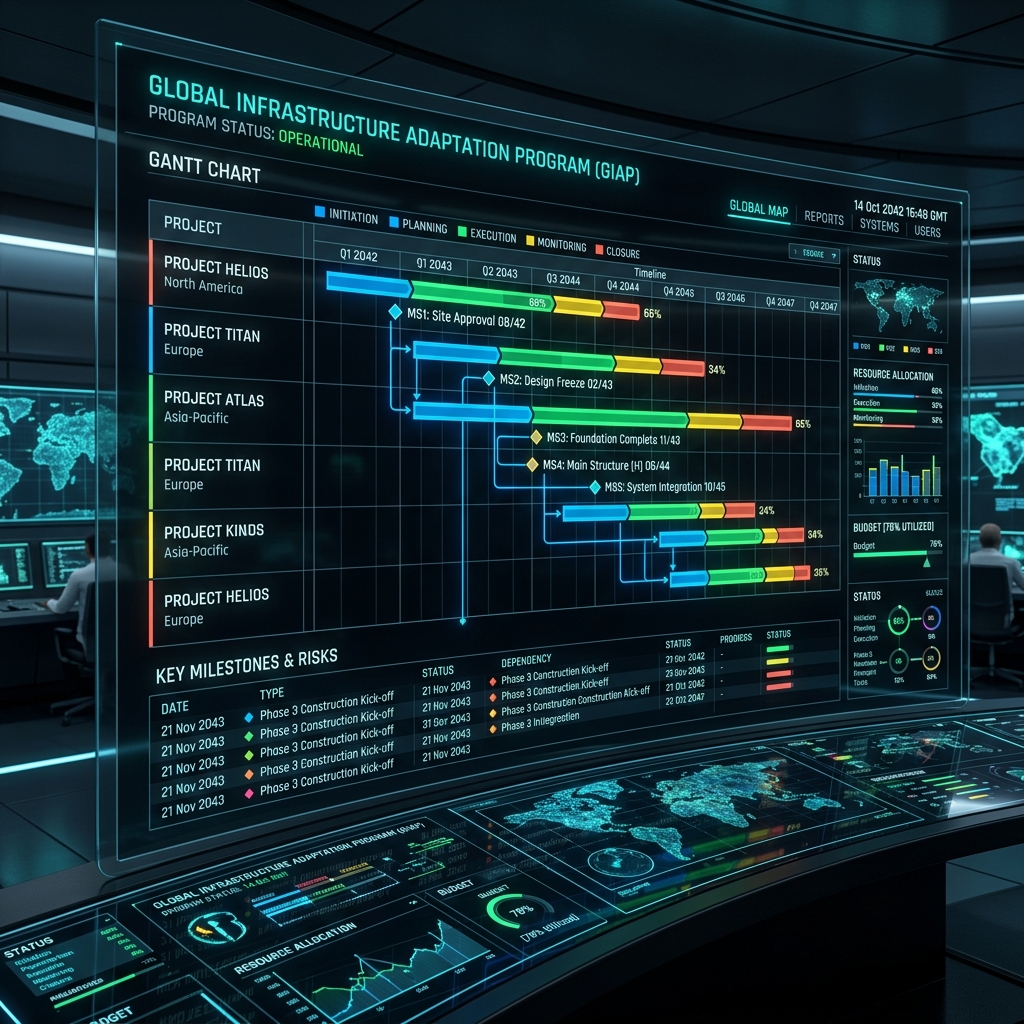
Project Schedule & High-Fidelity Reporting
GOAL: TEMPORAL VISUALIZATION & DOCUMENTATION
Access the **Master Schedule** HUD for a Gantt-view of all site phases.
Adjust timeline granularity to focus on critical path milestones.
Use the **PRINT** command to generate a project summary for physical review.
Export high-fidelity PDF reports for stakeholders.
Operational Compliance Directive
All field telemetry, including architectural site captures and manpower logs, must be synchronized daily. Delayed synchronization compromises the integrity of the Analytics HUD and budget actualization telemetry.